Quick start
Only need the nodes? Head on over to the Node reference
Easy Pathfinding (EPF) is an easy to use pathfinding plugin for Unreal Engine. But you probably already know that so let's get started with setting it up.
Step 1 is to install the plugin into your engine from the marketplace. I will assume you know how to do this.
Step 2 is to enable the plugin inside your project. You can do so from the plugin window, and by navigating to "Installed/Programming"
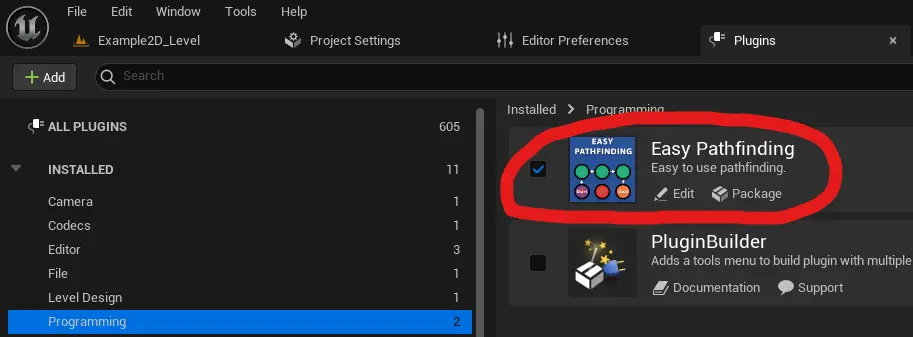
EPF is now enabled and you have access to the nodes it provides.
Creating a pathfinding graph
We start by creating a graph variable, which is an array of "PathfindingNode" structs.
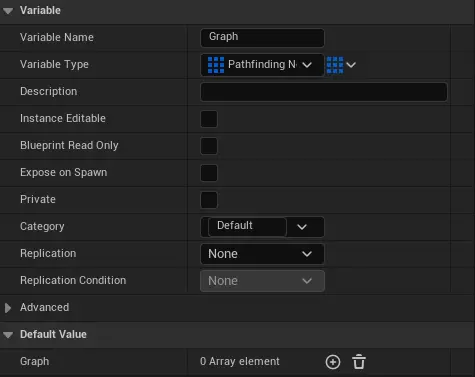
With this we can start creating the graph. I would recommend you download the example project to have a look at how I implemented it, if you haven't already.
But I will also be showing the basics here.
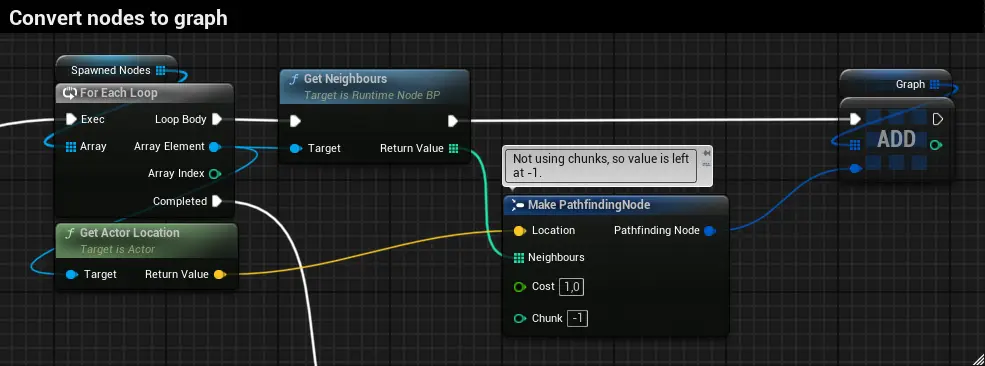 Above you can see a portion of how I create the graph in the example project. The spawned nodes are created earlier and they get assigned an index in order of creation.
When GetNeighbours(part of the example project) is called the node figures out what nodes are connected to it and returns an array of the indecies stored in those nodes.
Key note here is that the nodes are added in the same order to the graph so that the neighbour indecies stay consistent.
Also visible in the image is the cost and chunk values of the nodes. Cost is a simple multiplier for moving through a node, for example water could have a cost of 5,
while a road could have a cost of 0.1, this can be used to make pathfinding avoid undesired routes unless necessary. Chunk is an optimization method that can be used
if you are sure parts of your graph are completely disconnected from each other to avoid doing exhaustive seachers over the whole region of graph. This feature is not used in
the example project.
Moving on to using this graph, you can choose either Single threaded or Multithreaded pathfinding.
Single threaded pathfinding, the simplest way to get started with EPF
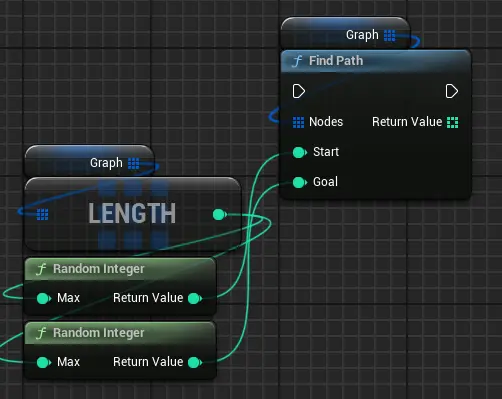
Here you can see a single threaded pathfinding example taken from the example project. We choose two random points and then the "FindPath" node returns an array of
integers that correspond to the nodes in the graph.
The inputs are pretty self explanatory:
Nodes is just your pathfinding graph, in future versions this will be renamed to "Graph" to avoid confusion.
Start and Goal are the indecies of the nodes you want to start and end the pathfinding at.
The return value will be covered under Using the found path.
Multithreaded pathfinding, for when pathfinding takes too long to be realtime
Using multithreaded pathfinding starts with spawning a "EasyPathfindingManager", in the example I store a reference to the actor in the "PathfindingManager" variable.
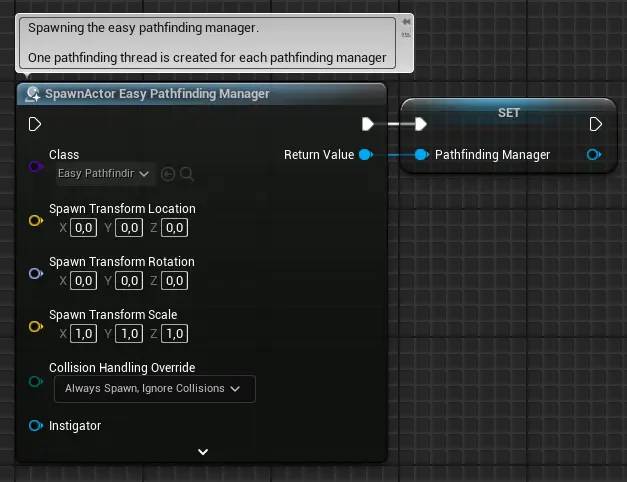
As you can see in the comment above the spawn actor, one thread is created for each pathfinding manager. This means that if you need more threads you just spawn more
pathfinding managers. The pathfinding thread is deleted when the pathfinding manager is destroyed.
As of version 1.0.1 each thread has a rough limit of around 600 pathfinding tasks completed per second as communicating between
the pathfinding threads and the game thread is a bottleneck. This may be improved in the future.
EPF uses an optimization technique where instead of sending the graph over to the pathfinding thread for each task you send it explicitly before hand.
This is done by calling AddPathfindingGraph on the EasyPathfindingManager.
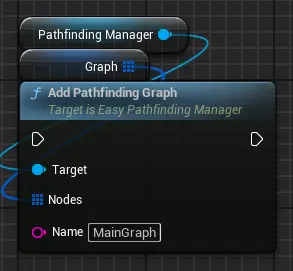
Inputs:
Nodes is just your pathfinding graph (Once again going to be renamed in the future).
Name is the name of the graph you are sending over. The name doesn't really matter but being descriptive helps you organize.
Now the pathfinding manager is ready to use and we can start sending tasks to the pathfinding thread. This is done with AddPathfindingTask.
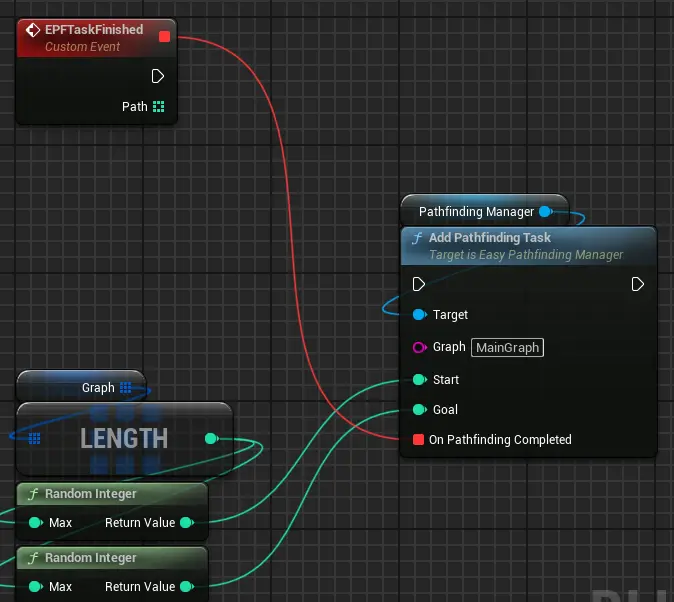
Once again let's start with the inputs:
Graph is the name of the graph you want to use with this pathfinding task.
Start and Goal are the indeces of the nodes you want to start and end the pathfinding at.
OnPathfindingCompleted is a delegate that will be called when the added task is completed.
The return value of the delegate will be covered under Using the found path.
Using the found path
At this point you have an array of integers (from now on referred to as the path) produced by pathfinding, either through single threaded or multithreaded pathfinding.
Starting with the most important thing, if pathfinding fails for any reason the path will have a length of 0. Currently EPF doesn't produce error messages, but
if it is requested over on Discord I will be implementing them in the future.
But now that that is covered basically the path corresponds to the nodes in the graph, so you should keep a copy of your graph around. Once again here are some
screenshots from the example project to show how the path can be used.
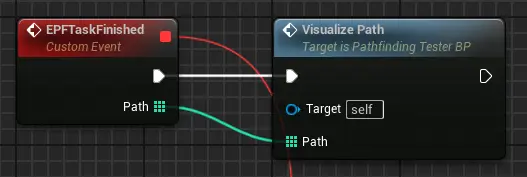
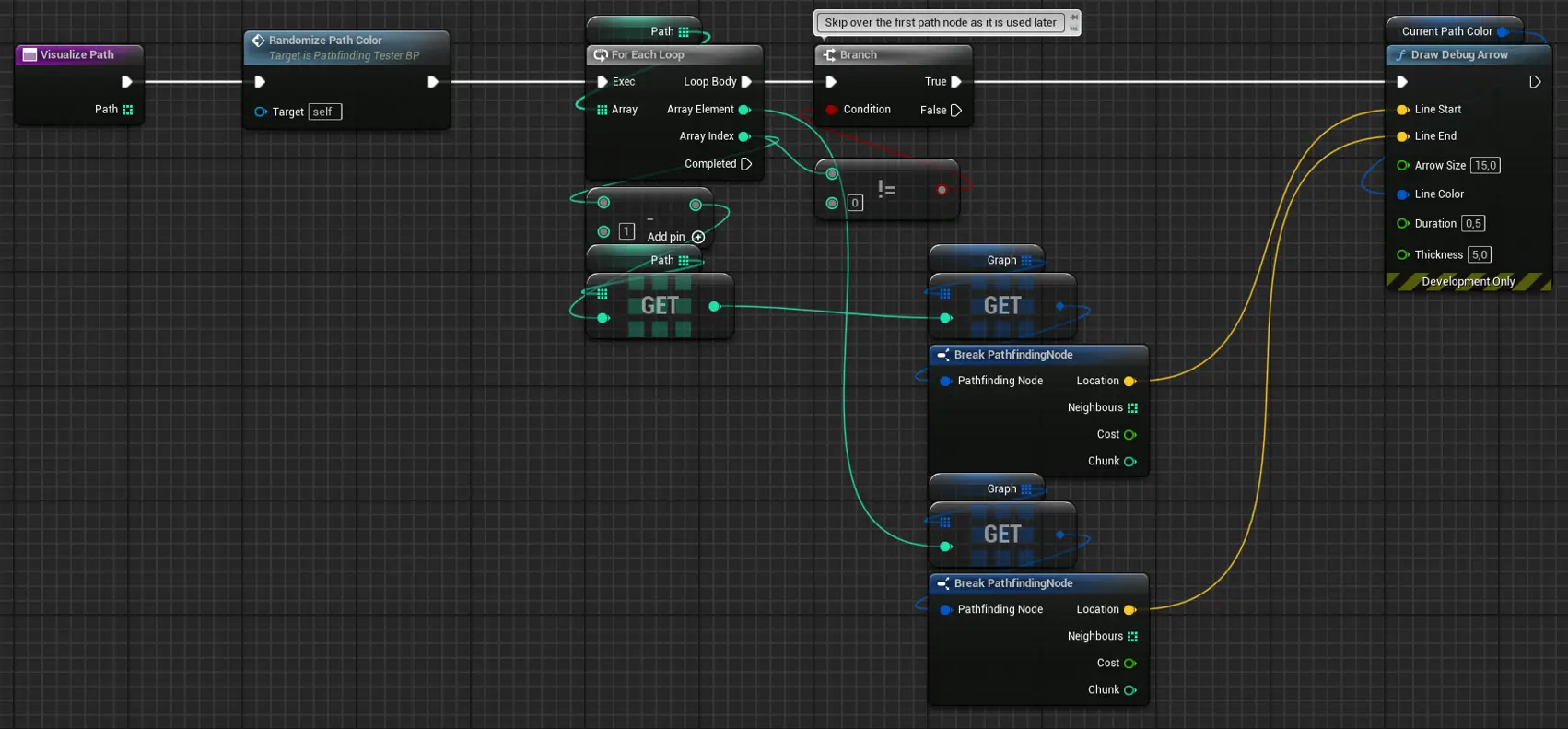
In this example I am using multithreading, but the same would apply for single threaded pathfinding. As you can see in the VisualizePath function
(Only in the example project) I am getting two references to nodes from the graph to draw an arrow.
Node reference
Need to know how a specific node works? This is the place for you, easily searchable, easily understood.
PathfindingNode
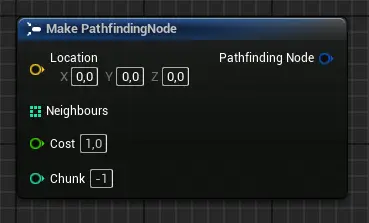
Inputs:
Location: Location of the node, used for the heuristic.
Neighbours: An array of the nodes that are connected to this node.
Cost: Cost multiplier for moving through this node.
Chunk(Optional, leave at -1 to disable): An optimization that can be used to avoid unnecessary calculations.
Outputs:
PathfindingNode: The newly created node.
FindPath
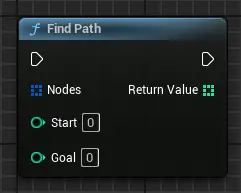
Inputs:
Nodes: The pathfinding graph (going to be renamed to graph). A graph is an array of nodes.
Start: The index of the start node.
Goal: The index of the goal node.
Outputs:
ReturnValue: An array of integers (the found path) that correspond to the nodes in the graph. Length is zero if pathfinding fails.
AddPathfindingGraph
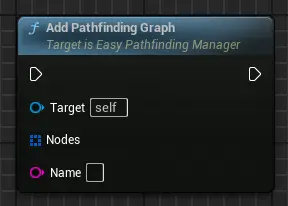
Inputs:
Target: EasyPathfindingManager. Spawn this with SpawnActor.
Nodes: The pathfinding graph (going to be renamed to graph). A graph is an array of nodes.
Name: The name of the graph you are adding.
AddPathfindingTask
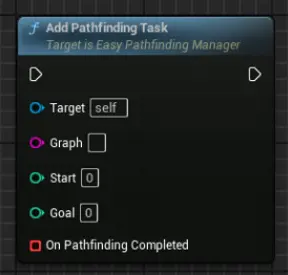
Inputs:
Target: EasyPathfindingManager. Spawn this with SpawnActor.
Graph: Name of the graph to use.
Start: The index of the start node.
Goal: The index of the goal node.
OnPathfindingCompleted: Delegate that will be called when the added task is completed.
OnPathfindingCompleted callback
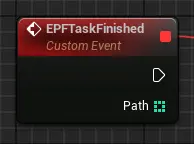
Outputs:
ReturnValue: An array of integers (the found path) that correspond to the nodes in the graph. Length is zero if pathfinding fails.